1 Builder Inspect 2.36.1
Get the app

Less paperwork. More building.

Builder Inspect - Herenhuis Dijklaan
HOOFDFOTO 1 · VOORGEVEL 16 HOOFDFOTO 2 · ZIJGEVEL 8 8 elementen - tik om te wisselen +
DETAIL 20
DETAIL 21
DETAIL 22
7 BELGISCH HARDSTEEN 📷 1
VGWHYD
MATEN × × mm
✎
NRMATBEHL×B×D
7HRDVGW, HYD, BRV, VB2220×140×80
9ZANIMP-
12ZANVGW890×210×120
CSV (EXCEL)
PDF · 3 BLZ
DXF (CAD)
KLAAR VOOR OFFERTE ✓

ON-SITE BUILDING INSPECTION - FOR AND BY PEOPLE WHO BUILD

Less paperwork. More building.

Photograph the building, or open the architect's PDF drawing. Tap the elements that need maintenance, or draw and measure straight on the drawing. Per element you record detail photos, the damage, the treatment, dimensions and status - and in one pass out comes a print-ready report, with CSV, PDF and DXF that go straight into your quoting or CAD software.

This version is for desktop or tablet users only!

Built on scaffolding, not in a boardroom.

Designed by people who know what it's like on site. No training or manuals needed. Just take photos and get the survey done while you do your inspection.

The best part? No expensive subscriptions. No "Pro" tier. No surprise price hikes. Just buy it once, and get to work! No monthly fees!

The walkthrough below follows natural stone as its example trade. Every other trade works the same way, with its own damage types, treatments and colour - see all trades.

THE METHOD

01

Photograph or import

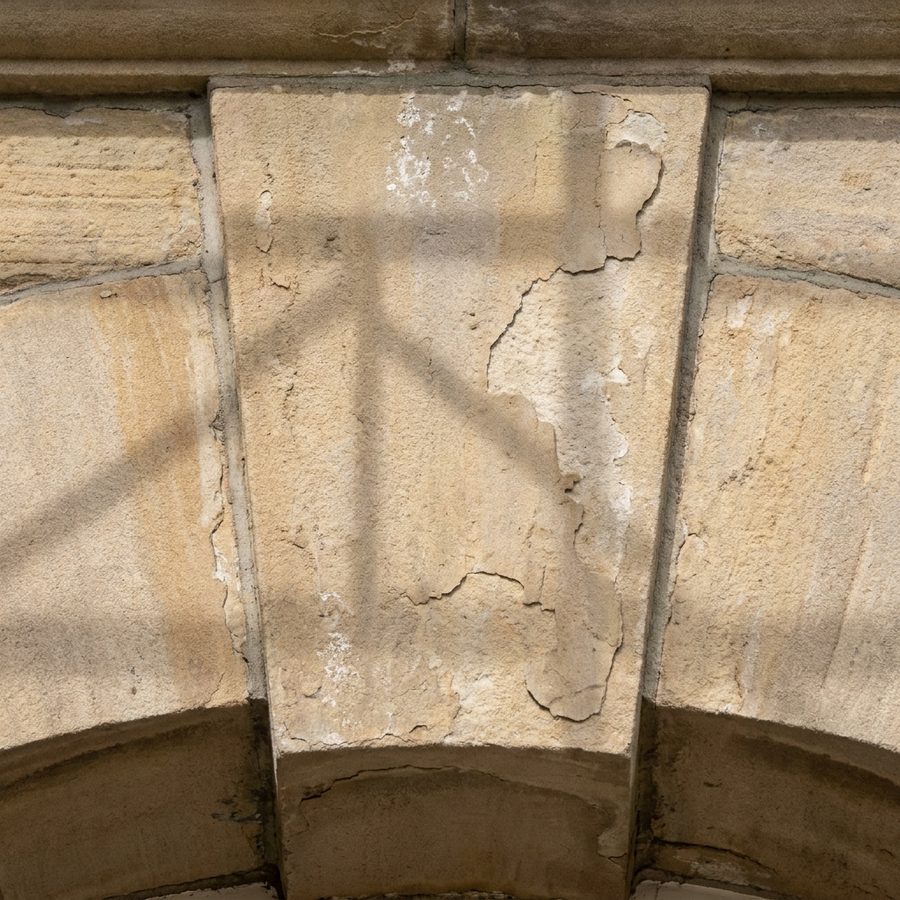
Import or take a main photo, or open a PDF construction drawing, straight from your phone or tablet. Add detail shots of cracks, joints and ornaments - they link themselves to the right element.
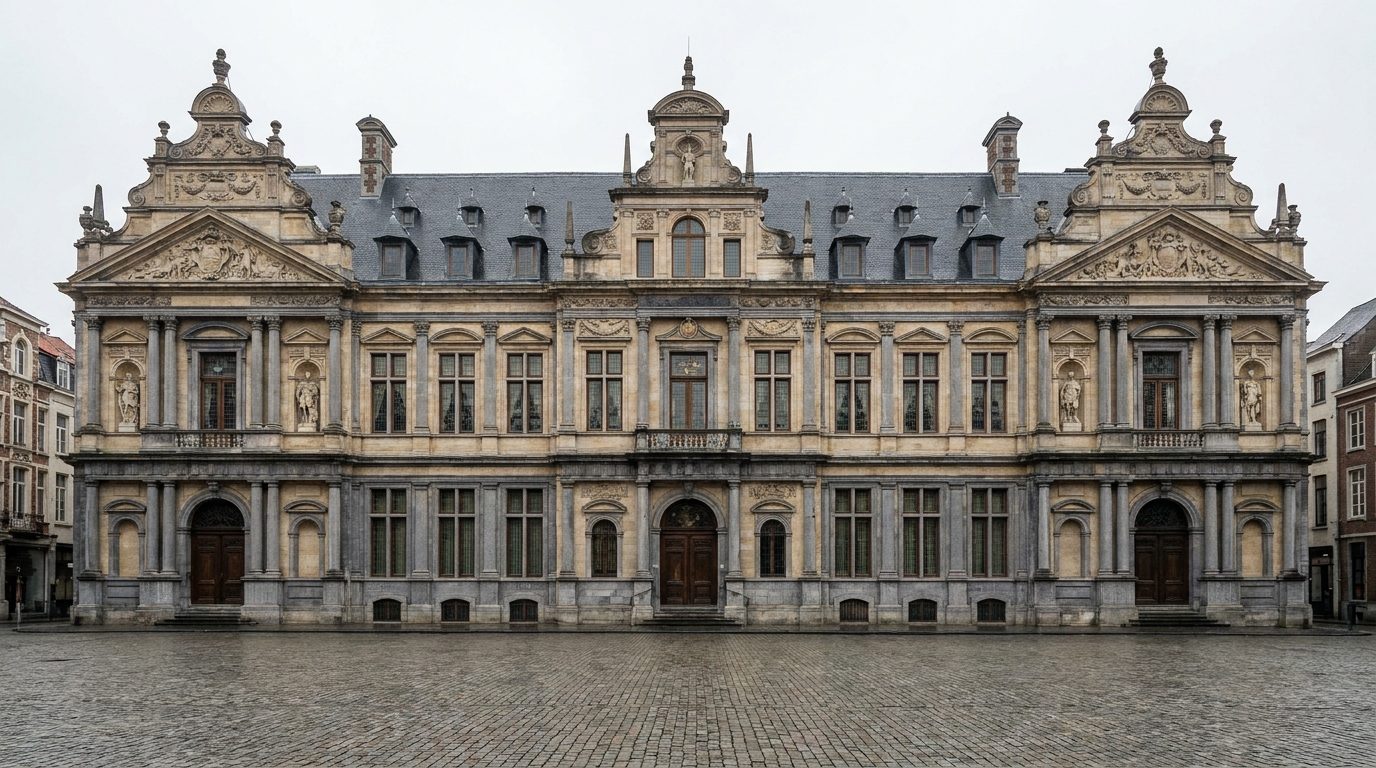
Main photo of the façade
HOOFDFOTO 1
2📷1
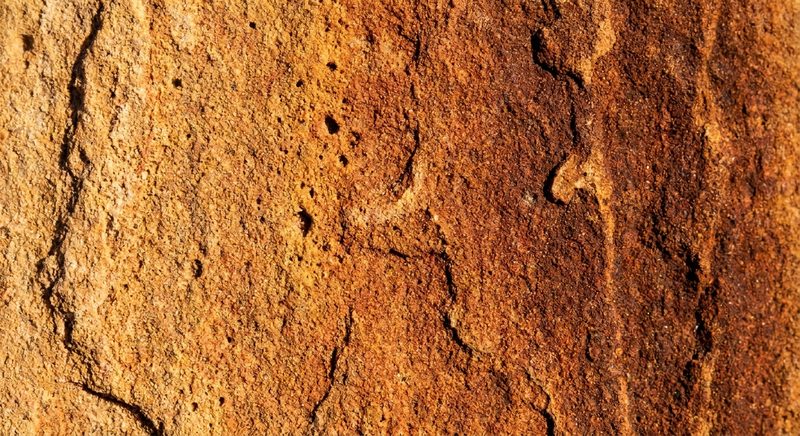
Detail photo being linked DETAIL 12
LINKED → Nr 2 · ZANDSTEEN
02

Tag

Tap each element on the photo. Number, material and marker appear instantly - sandstone, bluestone, granite, each in its own colour. Nineteen elements takes minutes, not an afternoon.

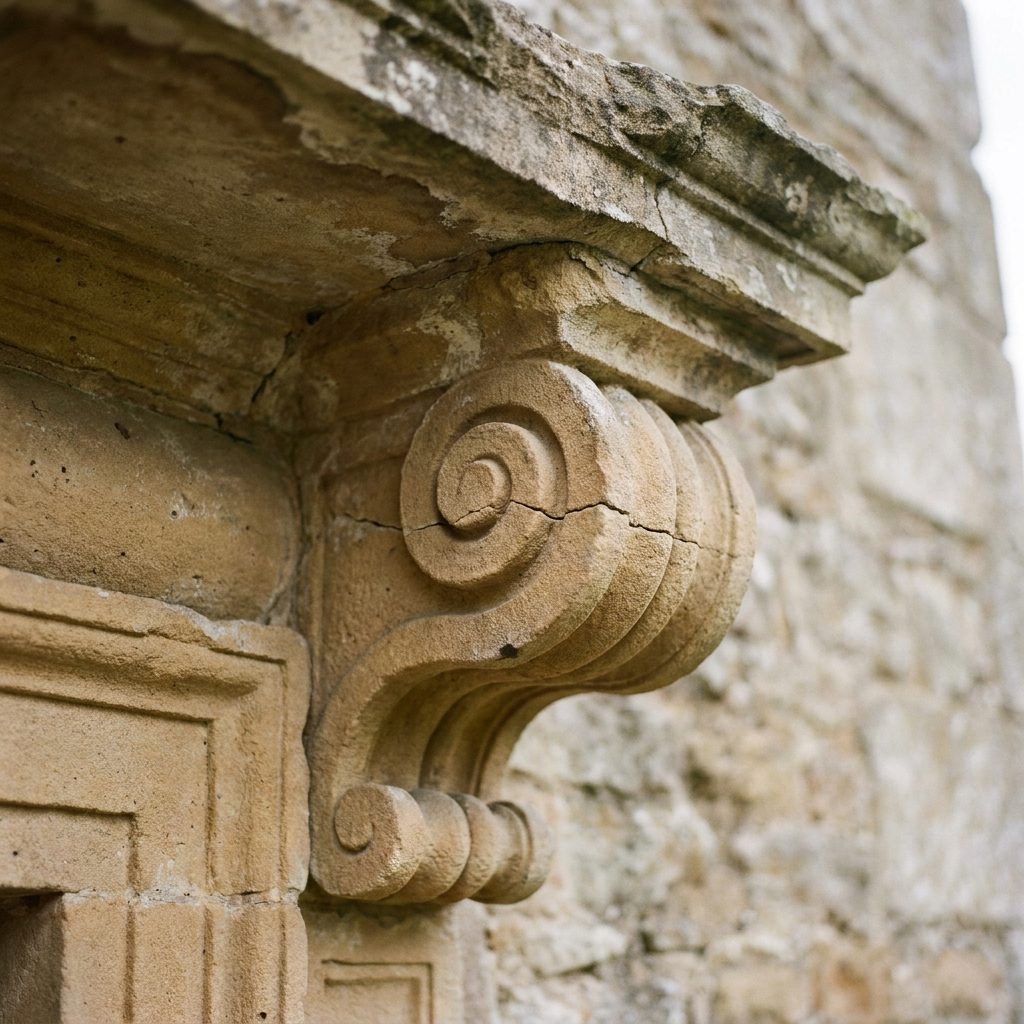
Carved volute being tagged
7
ZANDSTEEN · Nr 7
03

Specify treatments

Pick treatments from your own library - re-gluing fracture lines, hydrophobic coating, patination, full replacement. The list follows the URL 4005 guideline for natural-stone restoration, so your words line up with the specification. Add dimensions and notes on the spot, while you're looking at the stone - or dictate them with the microphone key on your keyboard, which helps when you're wearing gloves.

EPOXY MORTAR ×PATINATION ×CRACK INJECTION ×
QUICK PICKS
+ NEW TREATMENT…DONE
04

Mark up & measure on the drawing

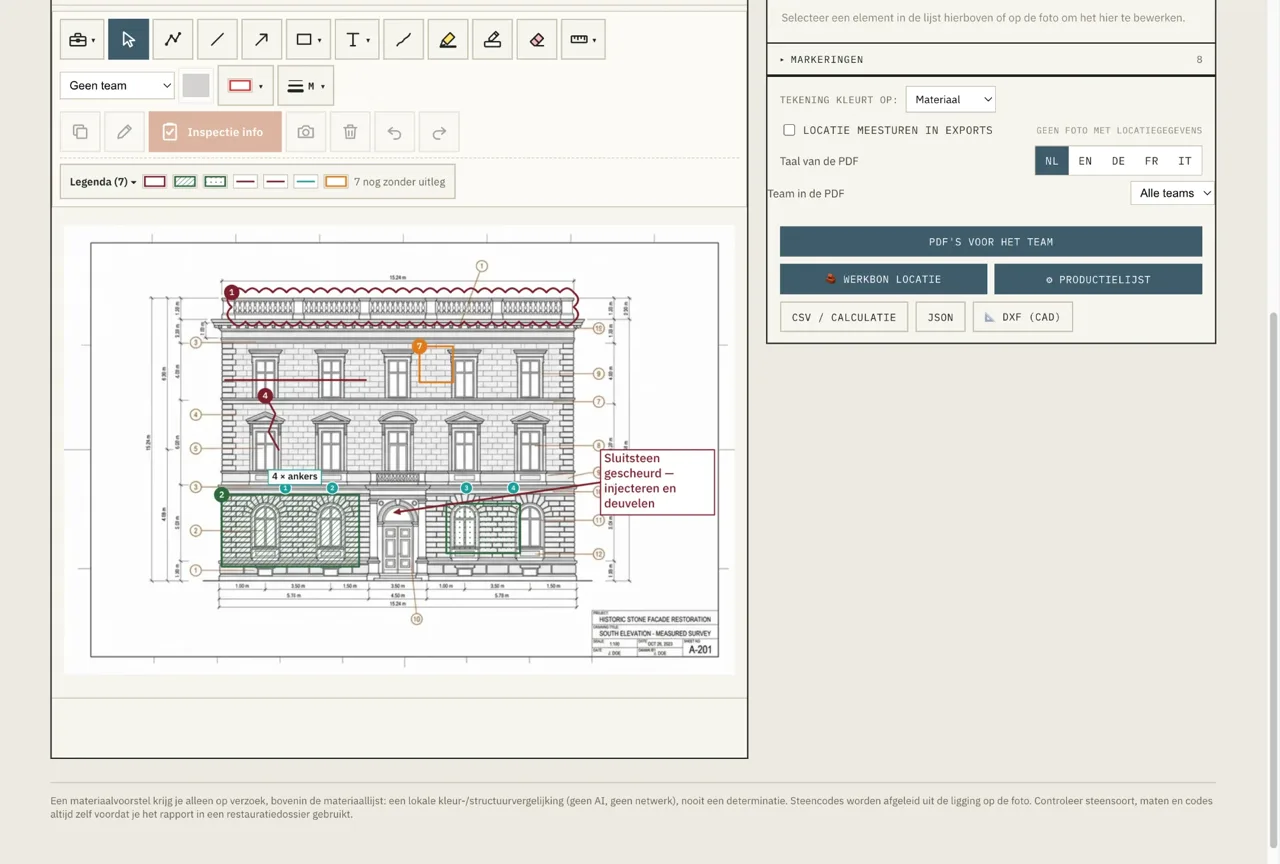
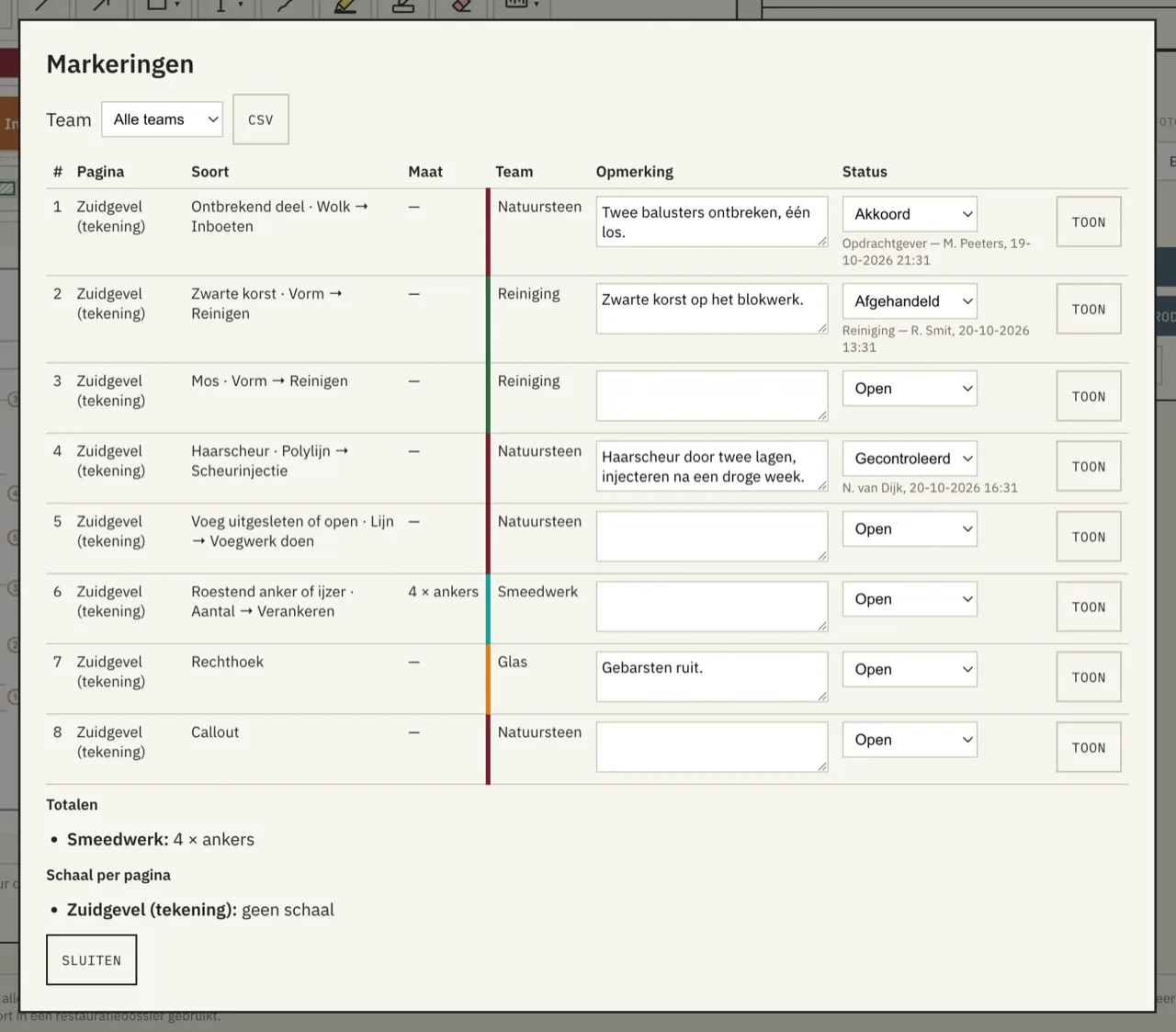
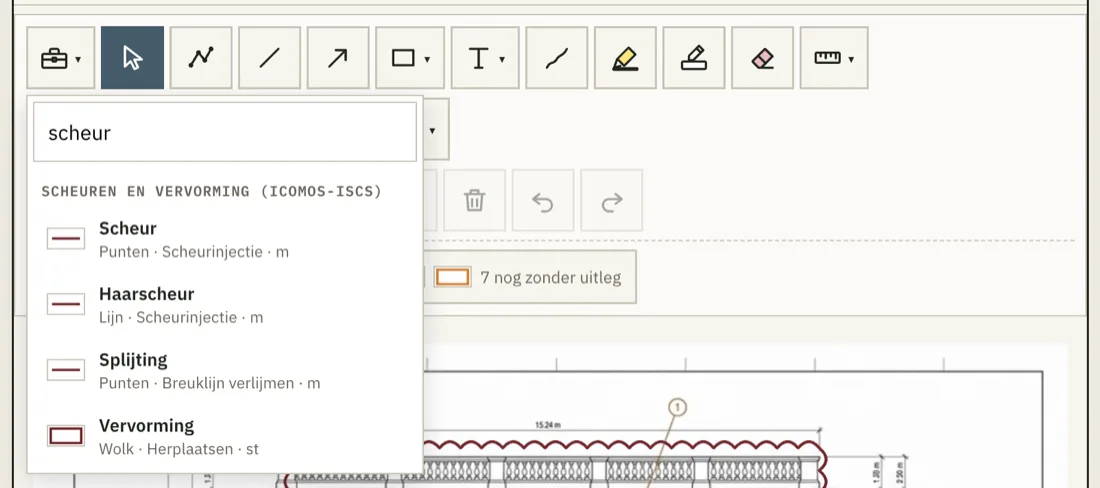
Draw straight onto the façade photo or the architect's PDF - revision clouds, arrows, callouts, freehand, hatched areas. Here too you can add a before and an after photo per object. On a drawing with a scale you measure as well: lengths, areas, counts, totalled per team. Every mark belongs to a team with its own colour, and the legend writes itself. Export a PDF whose annotations open as real, editable markups in Bluebeam or Acrobat - and read your colleagues' changes back in.

NATUURSTEEN REINIGING SCHILDERS SMEEDWERK GLAS Every mark belongs to a team, and the legend writes itself.
05

Print & reporting

One tap renders a numbered PDF drawing sheet or a CSV export that opens straight in Excel, ready to import into your quoting software - the quote starts taking shape before you're back at the office. Or generate a multi-page report or technical 2D drawing with photos, comments, materials and treatments: everything you need the day the project actually starts.

NRMATBEHANDELINGLBD
1ZANHYD, EM, DEM---
2ZANBRV, HON---
6ZANIMP6757686
7HRDVGW, HYD22014080
21HRDVV890210120
CSV (EXCEL)
PDF · 3 BLZ
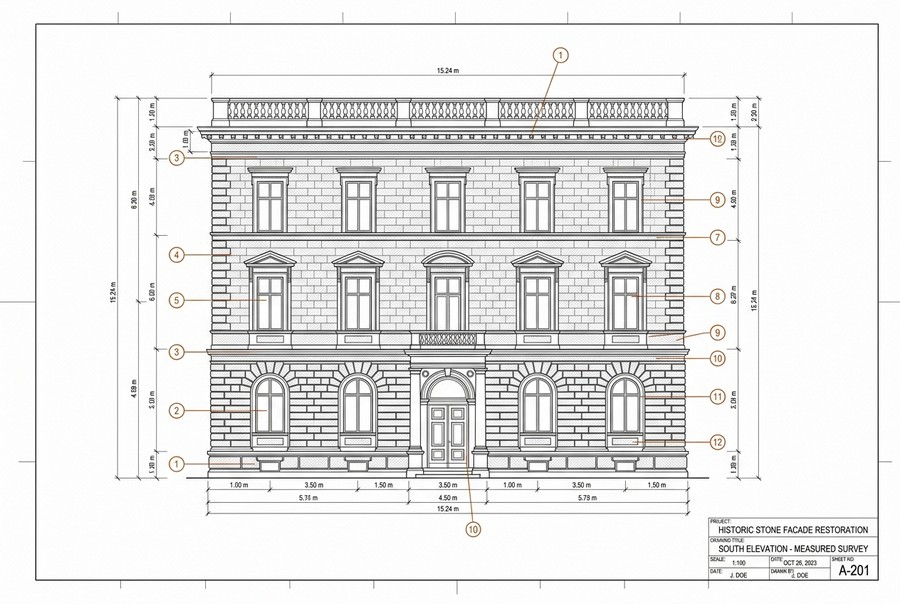
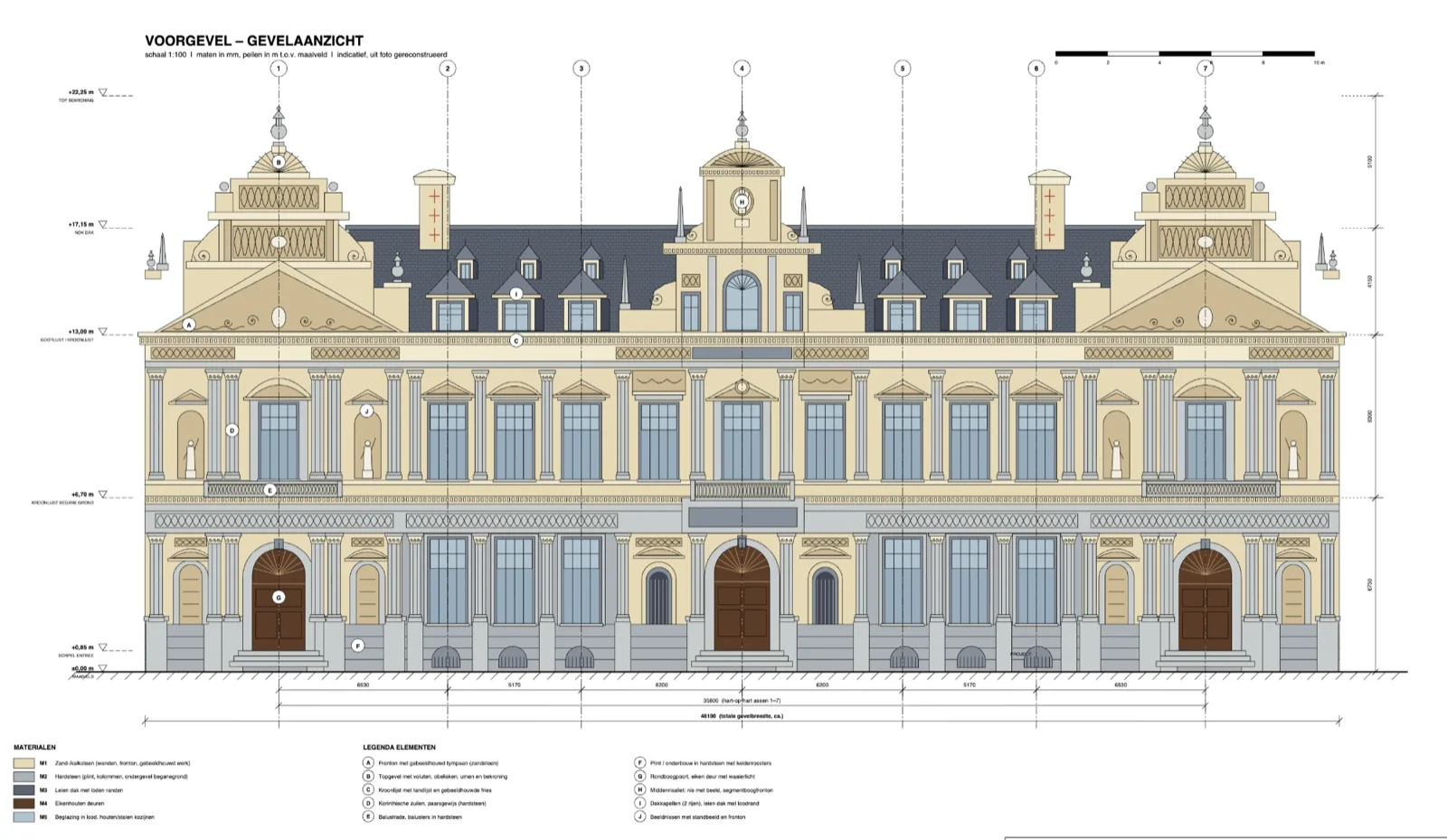
Technical 2D measured-survey elevation drawing with dimensions and numbered callouts DXF (CAD)

INSPECTION & HANDOVER

From a red line to a work list.

A mark on a drawing is only worth something if someone can act on it. So every mark carries the damage it describes, what it will cost to put right, and who signed it off.

One vocabulary for the whole team

Thirty-one damage types with their terms taken from ICOMOS-ISCS, in five languages. One tap sets the tool, the team colour, the hatch, the treatment and the unit - and it stays on, so you can mark twenty cracks in a row. Search from the top of the box.

Damage, severity, treatment, quantity

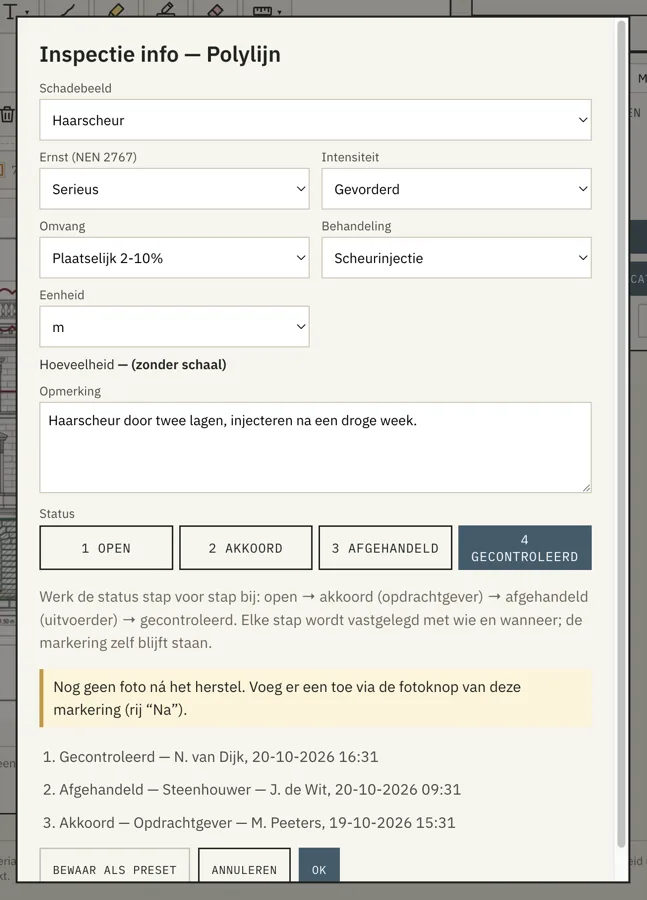
Per mark: the damage type, severity, intensity and extent following the NEN 2767 method, the treatment with its unit, and the quantity worked out from the drawing. The report adds it all up per damage type and per treatment.

Who approved it, who fixed it, who checked it

Open → approved by the client → dealt with by the contractor → checked. Each step records who and when, and the chain travels into the PDF as review status, which Bluebeam and Acrobat show. Each mark can carry a before and an after photo, side by side in the report.

THE DELIVERABLE

For the office

Export a clean CSV with every measurement, material, and project detail. Import it into your quoting software and have your quotation ready in minutes.

For the crew

Generate a complete project PDF with measurements, treatments, materials, comments, photos, and site notes. Everything needed to execute the project-organized in one place.

One survey, and these come out of it. Every sheet below is a real export, not a mock-up - this is the same façade in Rotterdam, seen six different ways.

PDF for the team

Every stone with its number, material, treatment and size, behind the façade photo it sits on.

Drawing with colour key

Each treatment its own colour, with legend, notes and title block. Sheet 1 of 4.

Location sketch and close-up

Per element: where it sits on the façade, a close-up, the dimensions and the photo of the damage.

Markup export

Your own markings on the drawing, with a legend of the damage types.

Work sheet for the scaffold

No photos, in façade order, with a tick box per stone.

CSV for the calculation

27 columns of dimensions, m², m³ and treatment keys. Straight into your quoting software.

Click any sheet to see it full size.

PRICING

Clear pricing. No surprises.

BUY ONCE

€399 per primary user, one-time. No subscription needed to use the app!

EXTRA USERS

Working with your team? Extra users from €199 each.

OPTIONAL UPDATES

Want to keep getting new features as we build them? That's available through an optional maintenance subscription of €99/year. Not renewing is fine too - the app just keeps working as it is.

All prices exclude VAT.

GET BUILDER INSPECT

Run your next survey in Builder Inspect - and watch the profit add up!

Our app brings the entire survey process together into one efficient workflow. This prevents duplicate work, reduces the risk of errors, and gives you an immediate, complete survey that's ready for further processing and invoicing. Want to experience for yourself how much time this can save? Get in touch with us today.

  • No learning curve - intuitive from the very first tap
  • Works fully offline, on laptop, tablet or phone
info@builderinspect.com

We usually reply within one working day.

We only use your details to reply to this request. Privacy statement.

Thanks - your request is in. We'll get back to you within one working day.